Why Choose a Black and White Laser Printer for Your Office Needs?
Black and white laser printers are often the unsung heroes of office setups. They bring a level of efficiency, cost-effectiveness, and durability that's hard to beat. If you've ever wondered about their underrated capabilities, especially in areas like wide format or blueprint printing, you're not alone. Many have discovered that these printers deliver high performance where it truly matters, maintaining productivity while keeping costs down—a win-win for any business operation.
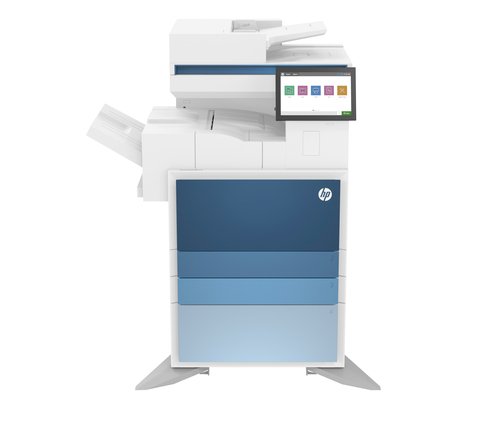
Understanding Laser B&W Printers
Laser monochrome printers operate using a laser beam to produce text and images by transferring toner onto paper. This technology involves intricate pathways where a laser projects a pattern onto a photosensitive drum, which attracts toner particles. The drum rolls across paper and, through heat and pressure, fuses the toner into a finished print. This process not only ensures precision but also remarkable speeds, perfect for high-volume tasks like CAD rendering and blueprint projects.
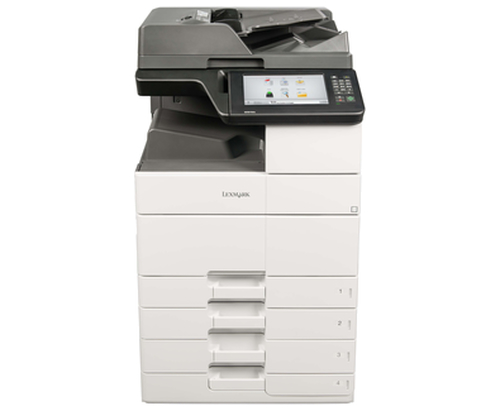
Brands like Lexmark and HP have mastered this technology, offering models replete with features fit for any office. The LEXMARK B2865dw, for instance, boasts robust security features and impressive paper handling, making it ideal for environments with hefty printing loads. On the flip side, HP’s LaserJet Pro series often focuses on seamless integration—the HP M404dn is known for its efficient laser pathways that heighten output quality and reduce downtime. To delve deeper into such technological feats, check out this comprehensive printer category overview. By understanding the mechanisms behind these devices, you gain insight into why they are indispensable for office needs.Key Benefits of Laser Monochrome Printing
When it comes to cost per page, laser monochrome printers are a dream come true. They typically outperform inkjet counterparts, thanks to the efficient use of toner. This translates into lower operational costs over time—a crucial factor for businesses focused on sustainability and eco-friendliness. Take the Lexmark MS521dn, for example, a model that's not just energy-efficient but also designed to cut printing expenses significantly—ideal for offices aiming to curb their carbon footprint.
Another practical advantage is speed. These printers are fast, often clocking more pages per minute than you'd expect. This means less time waiting for documents, a boon for those high-pressure situations where every second counts. Moreover, solutions like Mycadprinting find these printers invaluable for professional use given their reliability and output consistency. Maintenance costs also taper off with these printers as they usually require fewer consumables, thanks to the longevity of their toner cartridges and sturdy design. Whether you are maintaining a wide format printer or simply refilling supplies, the savings add up quite nicely over time.Ideal Use Cases and Applications
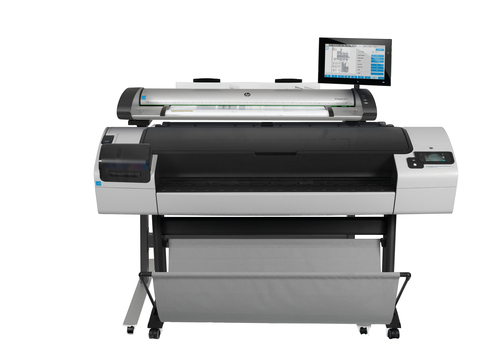
In my experience, laser monochrome printers stand out in fields like architecture and engineering where precision is paramount. They are often the go-to for producing blueprints and large format documents where details cannot be compromised. Offices involved in intricate design work or those frequently printing large technical drawings find these printers indispensable.
I remember once working on a project that required extensive plotter work—thanks to a reliable wide format printer, we met tight deadlines without breaking a sweat. When it comes to same-day printing needs, these printers offer speed and efficiency that's hard to match. Imagine having a last-minute client meeting and needing high-quality prints swiftly; that's where these machines shine. Another common scenario is handling high-pressure print runs for presentations or pitches. With a dedicated printer setup, even the most demanding office environments can maintain their momentum. Knowing exactly how and when to leverage these printers can significantly enhance your workflow and boost productivity.Choosing the Right Model for Your Needs
Selecting the ideal monochrome laser printer often boils down to understanding your specific requirements. Do you need speed, security, or perhaps multifunctionality? The HP LaserJet Enterprise M635z is renowned for its robust security features and multifunction capabilities, perfect for offices requiring high-level document handling and secure print solutions. It's designed with Ethernet connectivity options, which makes it easier to integrate into existing networks—streamlining workflows and maximizing efficiency.
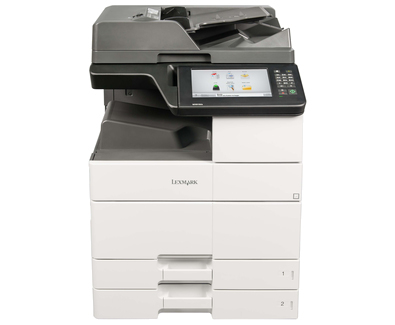
On the other hand, if speed is your primary concern, Lexmark offers models that prioritize rapid document outputs, such as the premium MS521dn, perfect for quick tasks without sacrificing quality. My advice? Start by assessing your office size, typical document load, and specific needs like wireless printing or scanner functions. Brands like Canon and Epson offer fantastic alternatives, often focusing on specific features or catering to niche markets. Explore your options—consider not just the initial purchase price but also the long-term savings on maintenance and supplies. Ultimately, balancing these factors helps ensure your investment aligns with your office demands.Comparing Top Models: Lexmark MS521dn vs. HP LaserJet M635z
When head-to-head with features, the Lexmark MS521dn's strength lies in its speed and unmatched durability, making it ideal for fast-paced environments. Its energy-efficient design also appeals to eco-conscious businesses. In contrast, the HP LaserJet M635z's multifunctionality and advanced security system transform it into a comprehensive office solution.
For offices needing rapid document workflows, Lexmark's prowess shines through. Meanwhile, HP's versatility caters to enterprises prioritizing multifunction capacities alongside print quality. Discover more about Lexmark’s innovative solutions or delve into HP’s robust features to determine which model best suits your office environment.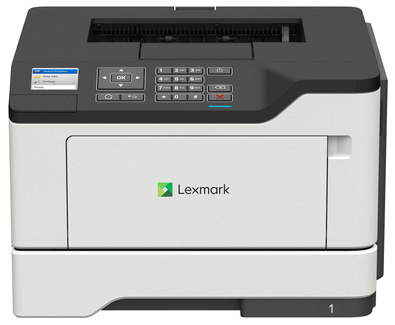
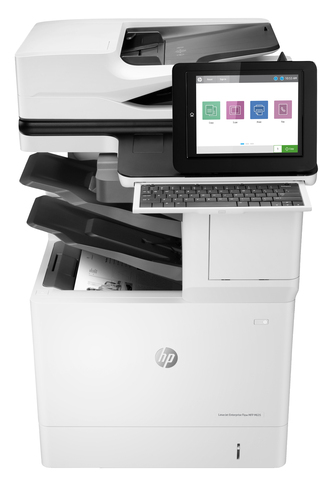
Setting Up Your Laser B&W Printer for Optimal Performance
Setting up your laser printer might seem daunting, but it's pretty straightforward. Begin by unpacking and placing it in a strategic location that optimizes accessibility. Ensure you load the paper correctly in the main tray, as misalignments can cause jams. Next, install the necessary drivers on your computer; these are often available directly on the manufacturer's site.
Once the software is installed, connect the printer to your network using either USB or Ethernet, based on your office setup. Running a test page is essential to affirm everything is in working order. For maintenance, create a schedule to clean the printer's interior and ensure toner levels are adequately monitored. Should issues arise, having a basic understanding of troubleshooting common errors is beneficial. Linking your printer to the network confidently enhances office synergy, boosting overall productivity.Conclusion
In conclusion, the advantages of black and white laser printers are compelling: from lower costs and high speeds to eco-friendly features and reliable performance. For many offices, these remain the backbone of daily operations. Whether or not premium features are essential often depends on your specific requirements. Exploring more about laser printer setups or efficiencies offers valuable insights. Consider visiting our comprehensive guide on printers or comparing efficiencies at this resource on printer technologies. Remember, the key is selecting a printer that balances performance with cost—ensuring you don't overspend on features you rarely need.
Frequently Asked Questions
Common questions about Laser - B/W