Why Choose Laser B&W Printers for Your Business?
In today's fast-paced business climate, selecting the right printing solution is crucial. Laser B&W printers are often seen as a top choice for businesses aiming for efficiency and cost savings. They're perfect for a range of tasks from everyday document printing to specialized services like wide format and CAD printing. Choosing wisely can boost productivity and ensure your operations run smoothly. Let's explore why these printers might be a great fit for your business needs.
Understanding Laser Printer Features
When considering a laser B&W printer, a few standout features make them a smart choice. First and foremost is speed—laser printers typically offer high pages per minute (ppm) rates, meaning you can churn out documents quickly, which is invaluable during crunch times. Another key feature is efficiency; laser printers are known for their low cost per page. In terms of technical specs, you want to look at resolution, typically around 600 to 1200 dpi, which ensures sharp text and graphics. Connectivity options such as Ethernet and wireless printing expand your flexibility, making it easier to incorporate the printer into your existing network.
Another handy feature is Mycadprinting, which brings cloud integration into the mix, allowing seamless access and printing from various devices. This can dramatically impact your daily operations, saving time on tasks like blueprint printing which needs quick turnaround. Moreover, features like automatic duplexing and secure printing capabilities ensure you maintain a seamless and secure workflow. These technical aspects might seem trivial at first, but they often make a world of difference in operational efficiency and decision-making when choosing the right device.The Value Proposition of Laser B&W Printers
Laser B&W printers offer several inherent benefits that make them appealing to businesses. Cost-effectiveness is a major plus, as laser printers usually have a lower cost per page compared to their inkjet counterparts. This is especially beneficial for companies printing frequently. Reliability is another strong point. Businesses often find them indispensable for everyday tasks due to their durability; they're built to handle high volumes without a hitch.
For example, services like Mycadprinting and Always Printing can significantly benefit from the robust nature of laser printers, as these services need machines that can handle large print jobs consistently. From an environmental standpoint, laser printers are quite efficient in toner usage, meaning less waste is produced—an advantage for eco-conscious companies seeking to reduce their environmental footprint. Real-world scenarios really highlight these benefits; I've seen architecture firms rely heavily on laser printers for their precision and reliability, which directly impacts their project timelines. That said, while these printers are a great fit for many, it's crucial to assess the unique requirements of your business before settling on a model.Common Use Cases and Practical Applications
The versatility of laser B&W printers makes them suitable for various use cases. They're commonly employed in office settings for routine document printing, thanks to their speed and consistency. In more specialized industries, such as architecture or engineering, laser printers shine in CAD printing services due to their precision and ability to handle detailed blueprints. Large format printers play a pivotal role in these fields, offering both speed and quality, which are crucial for timely execution.
Speaking from personal experience, managing print supplies can be a hassle, but these printers simplify the process, reducing downtime and maintenance headaches. I recall a time when our office printer broke down just hours before a critical presentation—having a reliable laser printer as a backup saved the day! Meanwhile, industries that require same-day printing or quick turnaround on large documents heavily depend on these machines for efficient operations. Therefore, whether you are managing an office or running a graphic design business, laser B&W printers can be your trusted ally. It’s typically the case that when you need something done right and on time, these printers pull their weight, ensuring your print needs are consistently met. For more on how these devices fit various business models, see our guide on maximizing printer utility.Laser Printer Comparison Guide: What to Look For
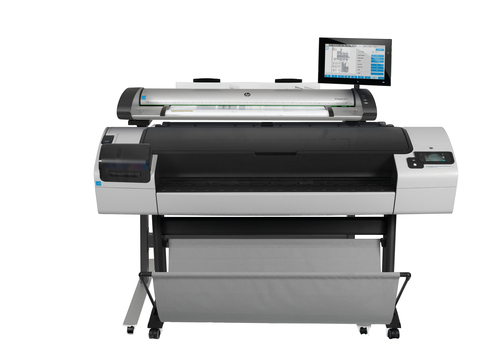
Deciding between different laser B&W printer models can be quite a task. The print speed is a good starting point; if your business demands high-volume printing, look for models with higher ppm rates. Security features, though sometimes overlooked, are critical for protecting sensitive information and should not be trifled with. Then there's the aspect of multifunctionality—some models, like the HP DesignJet or Canon imagePROGRAF, come with scanning and copying capabilities, which might be essential depending on your needs.
While premium options offer extensive features, it’s worth questioning if all these features suit your specific use case. Often, businesses overestimate their needs, leading to unnecessary expenditures. That said, evaluating your budget constraints against the required features can prevent such overspending. Practical tips like identifying your average print volume and deciding if wireless or direct connectivity fits your operations better can guide your choice. Ultimately, aligning your features with everyday needs ensures you choose a model that offers the best balance between cost and functionality, leaving out what you don't actually need. For an in-depth comparative look, check out our printer selection guide.HP Laser Printers: E826dn vs. Pro 3001dw
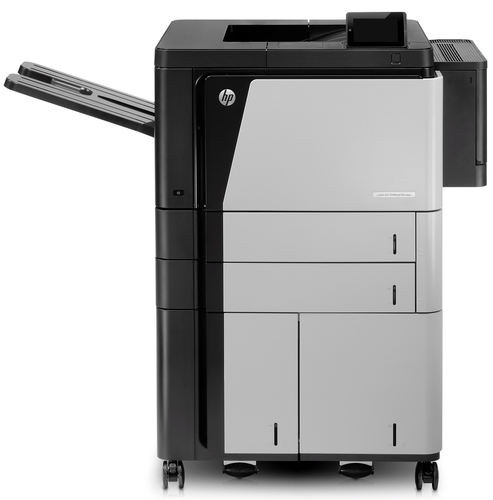
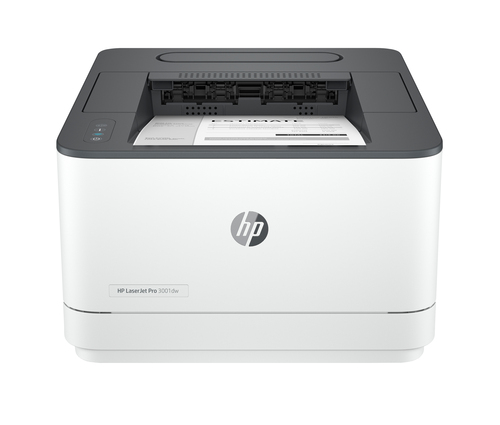
When comparing the features of the HP LaserJet E826dn with the HP LaserJet Pro 3001dw, several key differences are evident. The E826dn excels with its scanning capabilities and advanced security features, making it a solid choice for larger teams that must maintain stringent data protection protocols. On the other hand, the Pro 3001dw's wireless and duplex printing capabilities offer convenience, especially for smaller teams focusing on quick, cloud-connected workflows.
If your primary concern is having a robust, secure working environment, the advanced features of the E826dn may sway you in its favor. Meanwhile, if speed and ease of connectivity are your top priorities, the Pro 3001dw model is likely to suit your needs better. Each model caters to specific requirements, so evaluating your business priorities is crucial in making the right choice.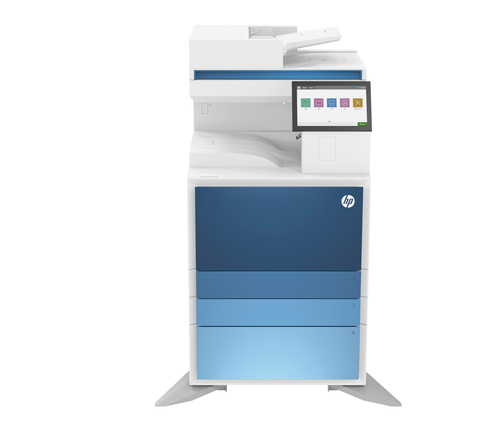
How to Optimize Your Laser Printer Setup
Setting up a laser B&W printer for optimal performance is pretty straightforward. Begin with the physical installation, positioning the unit in a well-ventilated area to prevent overheating. Once that's sorted, follow the instruction manual for software installation—typically, connecting it to your network via Ethernet or configuring wireless settings is the next step.
Afterward, calibration is crucial for ensuring print quality. Regular maintenance shouldn't be neglected either; cleaning your printer, especially wide format models, is essential for longevity. Troubleshooting common issues such as paper jams can usually be managed by referring to the user manual. Additionally, keeping your printer's firmware updated helps prevent minor issues from escalating. It's often worthwhile investing a little time in these initial setups and ongoing checks—it saves a lot of hassle in the long run and ensures the device runs smoothly. As someone who's handled a fair share of printers, I've found that a little attention to maintenance goes a long way. Wouldn't it be nice if all tech solutions were this simple?Conclusion
Wrapping up, it appears that laser B&W printers often prove to be a wise investment for many businesses. With their high efficiency, reliability, and lower operating costs, they provide a solid foundation for managing everyday printing needs. Recapping the advantages, these printers handle everything from basic document output to extensive print runs with ease, while also featuring impressive speed and precision. However, always weigh your specific needs and budget before making a purchase—it's about aligning your requirements with what the printer offers. By doing so, you can maximize cost savings and boost productivity. If you're interested in delving into detailed specifications or considering future models, make sure to delve into options provided on HP's official site. For those ready to make a decision, explore our guide on evaluating printer choices at our category page for more insights.
Frequently Asked Questions
Common questions about Laser - B/W