
Are Printer Trays and Accessories Really Important? Here's What You Need to Know
Printer trays and accessories often fly under the radar yet play a pivotal role in optimizing your printing setup. These components aren't just about holding paper—they're key to enhancing print efficiency and ensuring the seamless execution of tasks. So, are they truly necessary? That's exactly what we're here to explore. Join us on this journey to discover how these humble tools can transform your printing experience and elevate your workflow to new heights.
The Role of Printer Trays
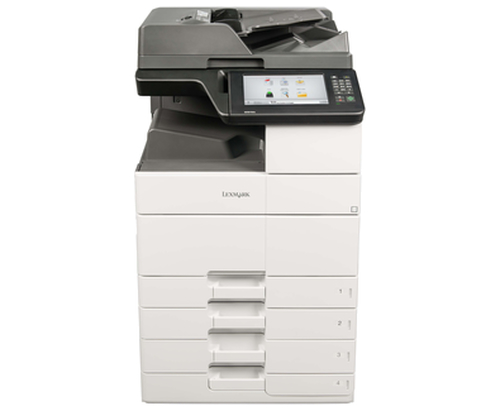
Have you ever wondered how much those printer trays contribute to your daily printing tasks? They're more than just paper holders—they're integral to your printer's overall performance. Let’s break down the options: standard trays, multipurpose trays, and specialty media trays. Default setups often use standard trays, ideal for handling everyday A4 paper. On the other hand, multipurpose trays can hold various media types, from envelopes to labels, offering flexibility for diverse tasks. Specialty trays, meanwhile, cater to niche needs like photo printing with specialized paper. When correctly chosen, these trays can significantly impact print speed and capacity. Imagine a busy office setting where multiple functions run in tandem—having the right trays could mean the difference between a smooth operation and a chaotic paper jam. The selection of trays tailored to specific needs becomes crucial. For example, swapping out standard ones for larger capacity trays can minimize interruptions in high-volume environments. In industries like graphic design, specialty trays keep things versatile—supporting unique media sizes needed for creative projects. Always consider not just what you’re printing but how often and in what volumes. For more on efficient office setups, check out our insights on maximizing printer usage.
Enhancing Functionality with Accessories
Printer accessories are like the icing on the cake, subtly yet powerfully expanding your printer’s abilities. Take feeders, for instance; they’re lifesavers in high demand print setups, automating paper supply and reducing manual loading. Imagine not having to refill during lengthy print runs—it's a game changer for efficiency! Duplex units, another stellar accessory, allow for double-sided printing. Having used one myself, I can say it's a fantastic way to halve paper consumption without compromising on output. Dust covers fall into a different category but are just as essential. They protect internal mechanisms from dust buildup, prolonging the life of your device. Meanwhile, add-on trays can increase paper capacity, crucial in shared environments. Reflecting on personal experiences, upgrading accessories turned my home office into a powerhouse. Adding a duplex unit saved considerable time and resources, especially during tax season with all those double-sided documents. Such investments often pay for themselves over time. If you're curious how these additions impact overall costs, the insights from our piece on printer consumables might offer further clarity.
Choosing the Right Accessories for Your Setup
Picking printer accessories that align with your needs calls for some introspection. Questions like 'How often do I print?' and 'What's my budget?' usually crop up. Moreover, space constraints might direct your choice. Not everyone has a lavish office; compact attachments or secondary storage solutions could be necessary. Auditing your current printing habits might reveal just what you're missing. Perhaps you've been swapping paper too often and could benefit from a larger input tray. Or, you've been manually flipping pages and a duplex unit would automate tedious tasks. Additionally, environmental concerns are leading many towards eco-friendly setups. Choosing accessories adhering to sustainable practices not only helps the planet but often comes with cost benefits long-term. Balancing budget constraints is key. I've learned that while premium options often come with bells and whistles, they aren’t always a necessity. In many cases, a mid-range accessory perfectly delivers the desired outcome. For those evaluating their options, our guide on choosing office equipment offers practical tips.
Maintaining Your Trays and Accessories
Ensuring the longevity of printer trays and accessories isn't just about usage; maintenance plays an equally vital role. First things first—regular cleaning! Dust and debris can settle into mechanisms over time. Utilizing manufacturer-recommended cleaning agents ensures parts remain in tip-top condition without risking damage. One common pitfall users encounter is paper jams, often caused by improper storage or misaligned trays. Ensuring items are stored correctly when not in use lowers these risks. As many might agree, there's nothing more frustrating than a jam in the middle of a large print job. Functional storage solutions and periodic checks help mitigate these hassles. Another tip? Regular audits for wear and tear. Accessories like feeders and trays are often swapped in busy environments. Spotting issues early makes them easier—and cheaper—to fix. It's not uncommon to have cleaned a tray just to have it last twice as long. For more comprehensive printer maintenance tips, see our deep dive on printer consumables.
Product Comparison: MakerBot vs. Lexmark
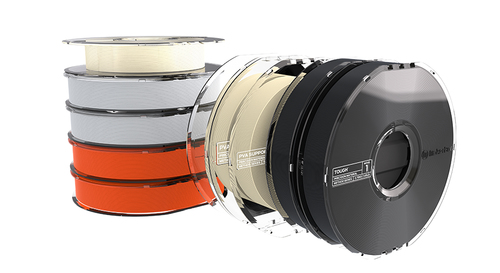
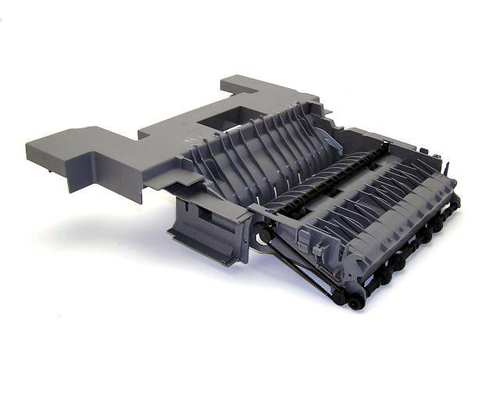
Deciding between the MakerBot 900-0023A and Lexmark 40X0030 means considering your specific needs. MakerBot is synonymous with 3D printing innovation, notably with materials like PVA and Tough PLA. It's designed for creative tasks—ideal for industries centered around design and prototyping. On the other hand, Lexmark's drive gear shines in the realm of laser printers. Its compatibility across numerous models makes it a versatile choice for diverse office settings. It’s often the go-to for reliability and performance in standard business printing tasks. Each product brings unique advantages to the table; for instance, if your focus is on creative 3D projects, MakerBot's flexibility is invaluable. Meanwhile, Lexmark offers practicality and reliability for typical office environments. Whether aiming for creativity or efficiency, these products cater to specialized needs—reminding us that sometimes, niche selections outperform generalized ones.
Setting Up Printer Trays for Optimal Performance
Achieving optimal printer performance starts with setting up your trays correctly. First, ascertain the correct tray size according to your needs—you wouldn’t want to end up with paper that doesn’t fit. Next, access your printer’s software to adjust settings matching the selected media type. Common sense dictates loading paper the right way: ensure it's cleanly aligned to avoid jams. Misaligned guides can be the hidden culprit behind misfeeds. Don’t skip double-checking settings; for those new to this, it can save you headaches later on. Pro tip, occasionally overlooked: don’t overfill trays. It may seem obvious, but being in a hurry might lead to such mistakes. More delicate media types require special attention to avoid damage. Also, remember to adjust guides to suit the insert type/dimension accurately. Following these steps ensures your printer operates smoothly, reducing the frequency of common issues. For further insights on professional-grade setup and printer care, explore how it’s done in our detailed guide.
Conclusion
Printer trays and accessories might seem like minor components, but their impact on overall performance and efficiency can be significant. We’ve highlighted how they enhance functionality, provide cost savings, and align with specific needs. From boosting efficiency with larger trays to minimizing paper waste using duplex units, these tools can transform your printing environment. Our task now is to evaluate what these additions can do for you. Consider your current setup—are there areas ripe for improvement? Exploring options to upgrade trays or accessories could enhance workflow significantly. Perhaps it’s time to reassess and potentially embrace certain advanced accessories that align with your daily tasks and objectives. Take that step today; reassessing can lead you to discover components you never knew you needed. Remember, small changes can lead to substantial improvements in your printing setup.
Frequently Asked Questions
Common questions about Trays and Accessories