Is a Laser B&W Printer the Right Choice for Your Office?
When configuring today’s efficient office setup, laser black-and-white printers are often top contenders. Known for their speed and clarity, they deliver high-quality prints swiftly and cost-effectively. But are they right for your office? In this blog, let's dig into their standout features, explore their benefits, and address any potential drawbacks. Whether you're upgrading or starting anew, making an informed decision is key.
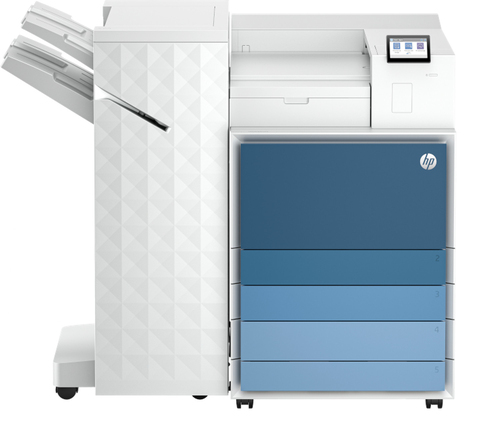
What Makes Laser B&W Printers Stand Out?
Laser B&W printers are a breed of their own, standing out for several reasons. A core feature is their speed—these machines can often churn out between 20 to 50 pages per minute (ppm), depending on the model. That's pretty impressive, especially during crunch times! Moreover, print quality is top-notch, typically reaching up to 1200 dpi, offering crisp, clear documents that look professional. When you require something that doesn’t balk at heavy-duty printing, these printers, with their robust build, handle high volumes with poise and precision.
Typically, brands like Lexmark, HP, and Epson lead the pack with technological advances that cater to modern business needs. For example, they've made strides with faster toner deployment, which reduces downtime and enhances productivity. Energy efficiency in these models has also been improved, which is a win-win for both the environment and your electric bill. It's fascinating to see how these brands constantly innovate to balance performance with eco-friendly designs. With all this said, you might want to explore options based on your specific needs. Start with our laser printer guide for more insights.Benefits of Choosing Laser B&W Printers
For offices keeping a close eye on budgets, laser B&W printers can be a smart choice. One of their most hailed benefits is the lower cost per page compared to their inkjet counterparts—a real boon for high-volume environments. You save not only on ink but also on maintenance, which is usually minimal, requiring just a basic upkeep of toner replacement and the occasional cleaning.
In my experience, these printers perform admirably across demanding scenarios. For example, in accounting firms or law offices, the clarity of documents is paramount. The precision and reliability of a laser printer ensure every comma and decimal point is rendered accurately, which can certainly alleviate stress in such detail-oriented professions. There's also a versatility factor involved. Whether dealing with simple invoices or complex reports, these printers generally manage tasks effortlessly. By investing in a reliable laser printer, you're not just buying a piece of equipment—you're streamlining your office operations. For further insights, check our blog on the investment value of laser printers.Common Use Cases for Laser Monochrome Printers
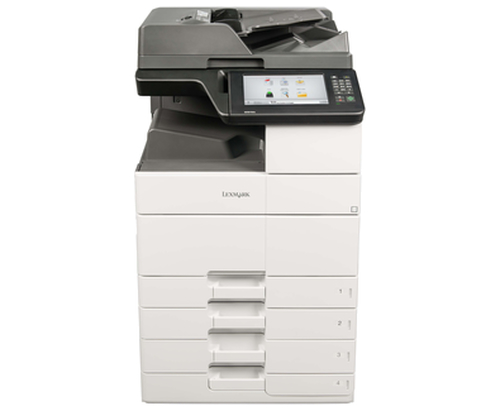
Laser monochrome printers have found a comfortable niche across various industries. Take the legal sector, where they’re indispensable for printing contracts, case files, and other critical documents that need to be crystal clear and quickly accessible. Meanwhile, in engineering and architecture, they boast the ability to tackle blueprints and CAD drawings with precision. Their capacity to handle large paper sizes and complex documents makes them ideal for such demanding environments.
Large organizations can also benefit from their generous paper capacity, which means less time spent refilling trays and more time focused on the task at hand. Toner longevity is often a highlight, lasting for thousands of pages before needing a replacement. This not only keeps the operational pace smooth but also significantly reduces printer downtime. If you're curious about whether such a unit fits into your daily operational needs, check out our category page and see which printers are tailored to your industry.Are There Downsides to Laser B&W Printers?
Admittedly, laser B&W printers aren't without their drawbacks. The initial investment can be higher than a standard inkjet, which can be daunting for small businesses or startups. Moreover, they can only print in black and white, which might be a deal-breaker for businesses needing full-color prints.
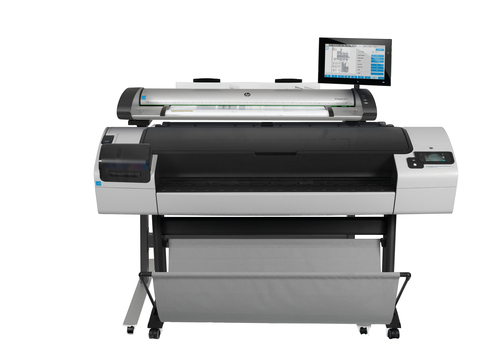
That said, some situations call for color or multifunction printers. For instance, marketing firms often need vibrant, glossy prints for presentations. In such cases, a combination of devices—perhaps a laser B&W for bulk text documents and an inkjet for color prints—could serve your needs better. Alternatives might include scanning features or even plotters for larger format printing. Typically, diversifying your printer lineup based on specific tasks can offer versatility and efficiency. Consider exploring more versatile equipment to boost your productivity holistically.Lexmark Warranty Extension vs. M3350 Performance Model
Let's compare the Lexmark 25B1215 warranty extension and the M3350 performance model. Extended warranties like Lexmark's provide peace of mind—ensuring your business operations remain uninterrupted. You can't always predict when a breakdown might happen, but knowing you're covered can be quite reassuring.
On the other hand, the M3350 is all about performance, with an impressive speed that suits high-demand environments. It might not have extended protection, but its rapid output is hard to top. Depending on whether reliability or speed is more critical to your needs, you might want to explore warranty options or invest in high-speed printing. Balancing warranty and performance is key!
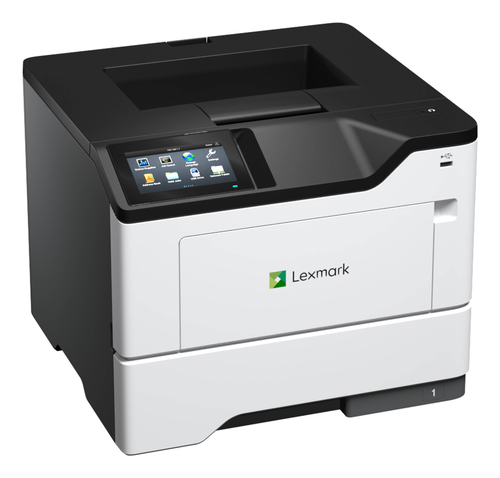
How to Set Up Your Laser Monochrome Printer for Maximum Efficiency
Setting up your laser B&W printer is simpler than you might think. First, install the drivers. Most brands offer easy-to-follow installation guides, but keeping your software up-to-date ensures optimum performance. Next, get it connected to your network. Whether using Wi-Fi or Ethernet, a stable connection guarantees consistent accessibility across all devices in your office.
Configuring print settings for energy efficiency is also wise. Set your printer to sleep mode during inactivity periods—it's a small adjustment that can lead to significant savings over time. In my experience, addressing settings such as duplex printing options from the get-go can also help you save paper and time. To evade common pitfalls during setup, take a look at our detailed setup guide for additional tips.Conclusion
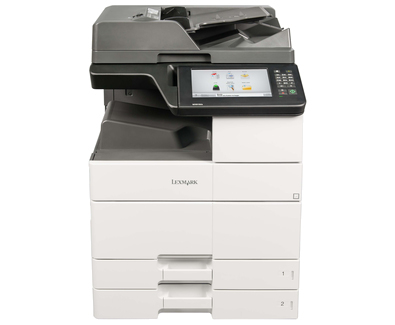
Choosing the right printer for your office involves more than just hardware specs—it's about aligning with your business’s printing demands and budget. The laser B&W printer excels in speed, cost-effectiveness, and high-volume handling, making it an appealing choice for many environments. But, consider what trade-offs are acceptable for your unique needs. You might wish to explore the latest Lexmark models for designs that meet your specific requirements.
Remember, investing wisely when it comes to office technology is crucial. It’s not just about the initial spend but considering factors such as durability, maintenance, and toner cost, which ultimately impact long-term success. For an overview of models and specifications, check out our detailed category page.Frequently Asked Questions
Common questions about Laser - B/W