Ink-Jet Printers: Are They Right For You?
Ink-jet printers have become a staple in both homes and offices, praised for their ability to handle a range of printing tasks. But are they the ideal choice for you? This article delves into the world of ink-jet printers, examining features, benefits, and everyday uses. By the end, you'll be well-equipped to evaluate your printing needs and decide if an ink-jet printer aligns with your requirements.
Diving into Ink-Jet Printer Features
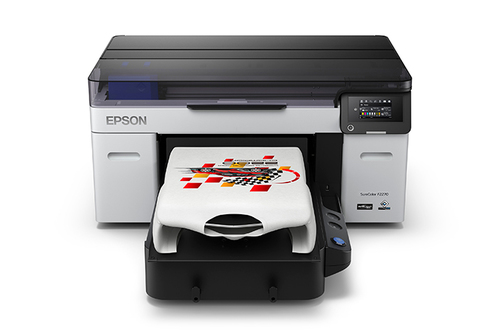
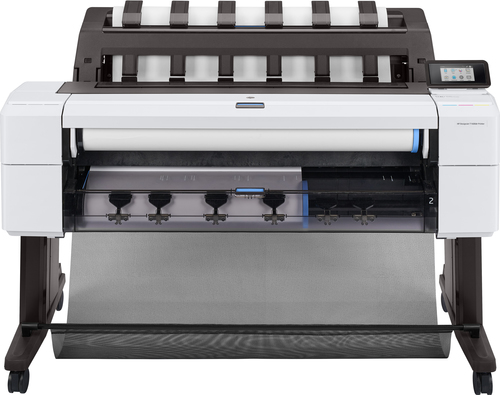
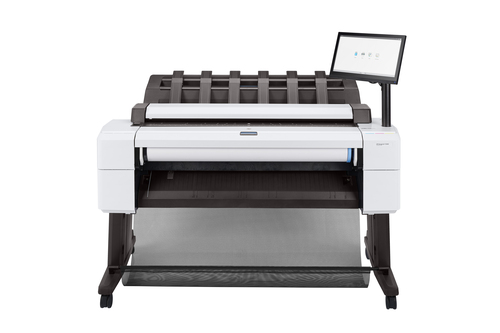
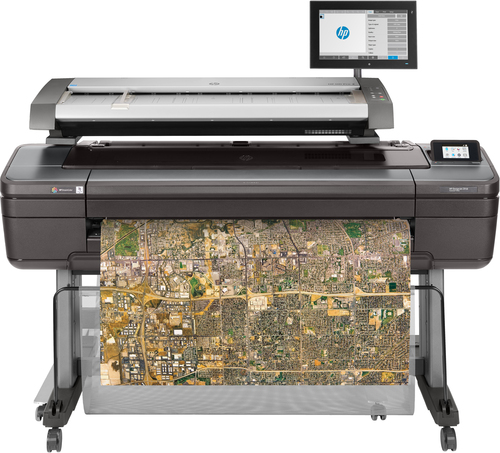
Ink-jet printers boast a myriad of technical specifications, making them a versatile choice for many. Key features include high resolution and decent printing speeds, leaving a mark on quality while ensuring speedy execution. In my experience, wide format printing has increasingly added value, especially for creative projects that demand exquisite detail and vibrant colors.
These printers often operate with advanced ink technology—like HP's thermal inkjet or Canon's fine art print capabilities—offering precision and depth. Models like the HP DesignJet and Canon imagePROGRAF are prime examples of innovation in ink technology, catering to needs such as small business layouts or detailed CAD prints. Such versatility doesn’t just happen overnight; it's a result of intricate engineering and attention to detail. Cost efficiency is another prominent feature. Because ink-jet printers use liquid ink, they tend to be more economical for color printing. Ink cartridges might seem like a frequent purchase, but they’re noticeably cheaper than toner. For small businesses or CAD services, this efficiency translates to cost savings without compromising output quality. For more on various printer categories and their specialities, consider diving deeper into other resources.Why Choose an Ink-Jet? The Advantages Unpacked
When weighing the benefits of ink-jet printers, color richness and affordability are noteworthy. In my view, the palette these printers offer suits everything from vibrant art prints to eye-catching business presentations. Moreover, the print supplies are usually more budget-friendly, making frequent replacements less of a financial hurdle. This underscores the balance between quality and cost that ink-jet printers tend to maintain.
Multifunction models stand out by adding convenience to the mix. With features that typically include scanning, copying, and sometimes faxing, these printers become an all-in-one solution. In a home setup, they minimize space consumption, while in offices, they streamline processes, boosting productivity. Ink-jets handle tasks such as same day and blueprint printing with commendable ease. Versatility is another strong suit. Brands like Brother and Epson are known for their diverse offerings, ensuring that you find something fitting both personal and professional environments. For more insight into how these aspects play out, see this blog post on ink-jet printers. Such adaptability often makes ink-jets the go-to for varied printing demands, bridging the gap where laser printers may fall short.Practical Applications and Best Use Cases
Ink-jet printers shine in several real-world scenarios. For instance, architectural firms often require high-quality, large format printers like the Mycadprinting series to produce detailed renderings and site plans. Beyond the architectural realm, creative professionals benefit from the vibrant and precise outputs ideal for portfolios and showcases.
Then there are home offices, where multifunctional capabilities make life easier. An ink-jet’s ability to print, scan, and copy within a compact footprint is invaluable. This combination is perfect for freelancers or remote workers managing everything from document printing to archiving their work. From my experience with plotters and scanner sales, expanding practical applications is key. By leveraging flexible setups, businesses can adapt as their needs grow. Consider exploring more on various categories these printers belong to. Use case studies reveal how, for instance, a small design studio scaled effectively by integrating wide format plotters with their existing workflow. Hence, ink-jet printers are versatile, capable of catering to specialized needs while ensuring scalability.Evaluating Potential Downsides
It's important to acknowledge that premium options in ink-jet printers aren’t always necessary. Common drawbacks include potential maintenance issues like clogged nozzles, which can lead to frustrating downtimes. Users in high-demand environments might find these printers' speed limitations a concern, especially when compared to laser alternatives.
On the flip side, ink-jet printers often deliver sustainable output with lower repair rates, particularly appealing to CAD printing services where eco-friendliness and reliability are prioritized. Typically in my experience, the cost of maintaining an ink-jet can vary, with cartridge replacements occurring more frequently than with lasers. These considerations are crucial for decision-making. Knowing whether your printing tasks justify the additional care ink-jets require can save time and cost in the long run. There's always a trade-off between upfront affordability and the long-term running costs. Balancing these factors involves evaluating how critical print speed and maintenance downtime are to your business or personal projects.Brother MFC-J6540DW vs. HP ENVY 6452e: Which Fits Better?
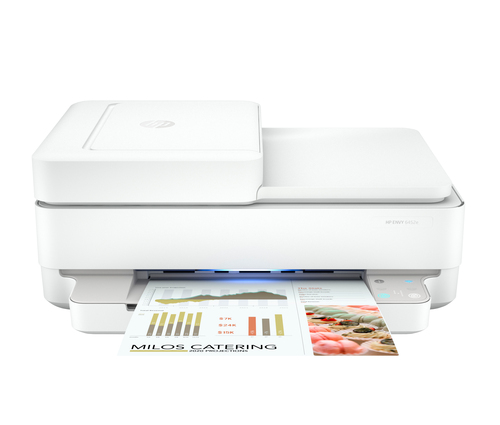
Trying to choose between the Brother MFC-J6540DW and the HP ENVY 6452e? It often comes down to specific needs. The Brother model is revered for its A3 capacity, making it ideal for professional teams needing larger prints. Wi-Fi capabilities in both models mean easy connectivity, but each offers unique ink technologies—Brother's INKvestment tank versus HP's cartridge system.
Typically, the Brother is favored in professional settings, while the HP might better suit family use due to its ease of operation and modest size. For more insights on what makes ink-jet printer benefits beneficial, these comparisons should aid in making an informed decision.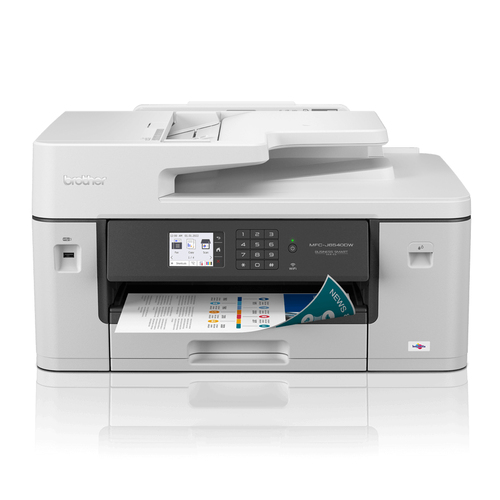
How to Choose the Right Ink-Jet Printer
Selecting the perfect ink-jet printer starts with understanding your volume needs—do you print hundreds or thousands of pages monthly? Then, consider whether multifunctional capabilities are essential. Are scanning, copying, or faxing features going to add value?
Exploring vendor websites, such as Brother, can yield specific model insights enabling a clearer picture of what’s available. One must also avoid common pitfalls like failing to future-proof their choice. As businesses or home setups evolve, so do printing requirements. Balancing current needs against anticipated growth helps ensure your investment remains viable long term. Staying informed and comparing options lays the foundation for a choice you won’t regret.Conclusion
In summary, ink-jet printers offer a versatile solution for diverse printing needs. From rich color reproduction to multifunctional convenience, they cater to various use cases with aplomb. But it's wise to pair this appeal with realistic assessments of potential downsides, like maintenance quirks and speed. For those looking to delve further into printer options, reference product comparisons available in broader resources.
It's prudent to reevaluate your printer needs regularly, especially as market trends shift and technologies advance. Remember, the art of perfect printing often begins with informed choices and clear intentions. Why not take a moment to explore the possibilities through current market offerings at our categories and make an enlightened decision today?Frequently Asked Questions
Common questions about Ink-jet