Why Ink-Jet Printers Might Be Your Next Best Investment
In today's digital world, finding a reliable printing solution is essential, whether for personal tasks or professional projects. Ink-jet printers are gaining popularity due to their versatility and innovative features. Have you ever wondered how these printers can streamline your daily responsibilities? Join us as we dive into the benefits, explore standout models, and uncover features that could make ink-jet technology your next go-to investment.
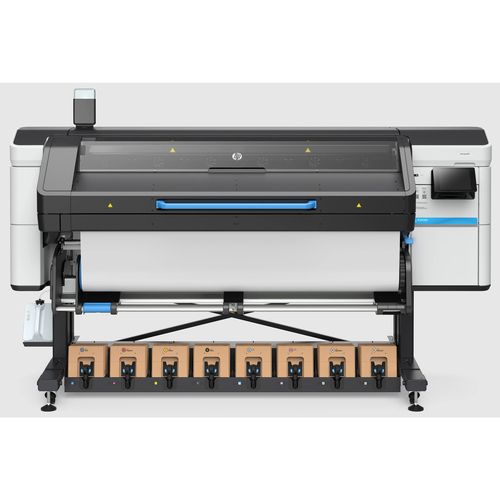
Getting to Know Ink-Jet Printers
Ink-jet printers are quite remarkable, working by spraying tiny droplets of ink through a series of nozzles or print heads. This technology enables them to handle a diverse range of tasks—from printing vibrant photos to producing complex documents with ease. Often praised for creating sharp and clear images, ink-jet printers' capabilities largely depend on their DPI (dots per inch) rating. A higher DPI indicates better print quality, an attribute highly valued in both home and office settings.
Whether it's a school project requiring crisp images or an office needing clear text documents, the versatility of ink-jet printers comes to the rescue. In my experience, they strike a perfect balance between efficiency and quality output. For those unfamiliar, DPI is just one of the technical aspects to consider. Other factors, like printing speed and connectivity options, also play significant roles. Did you know that many ink-jet models now offer wireless printing via Wi-Fi? This advancement is typical in modern designs, making them even more conducive to today's connected world. Look into more about ink-jet printer features if you're curious about getting the most out of your purchase.Advantages of Going Ink-Jet
One of the biggest advantages of ink-jet printers is their cost-effectiveness. They typically offer a lower upfront investment compared to laser printers, while still producing high-quality outputs. Additionally, these printers often adapt well to various tasks. For example, some models can handle wide format printing seamlessly, which is a huge plus for designers and architects. Even the maintenance on these devices tends to be fairly straightforward—usually just a quick cartridge replacement or a nozzle cleaning away.
Users often find ink-jet printers to be indispensable—especially those involved in specific printing tasks like CAD printing. The accessibility to print supplies and repair services can greatly enhance the user experience. I've seen numerous fellow professionals swear by their ink-jet printers for important print jobs. That said, one shouldn't overlook the potential ink costs involved, which can add up over time if you're printing in high volumes. It’s a bit of a balancing act between upfront savings and ongoing operational costs. Nonetheless, these common caveats are often far outweighed by the manifold benefits ink-jets bring to the table.Real-World Applications For Ink-Jet Printers
In the real world, the functionality of ink-jet printers is practically limitless. Architects, for instance, might rely on them for blueprint printing, ensuring they have a clear layout before construction begins. Businesses often turn to ink-jet printers for same-day printing solutions—whether for urgent reports or promotional materials. Their value in creative fields, too, can't be overstated, especially for tasks like producing large format prints or providing essential CAD printing services.
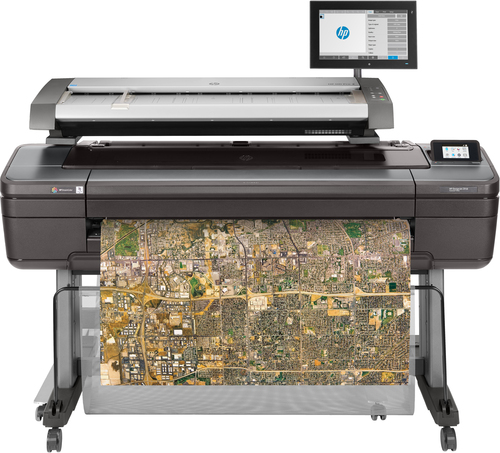
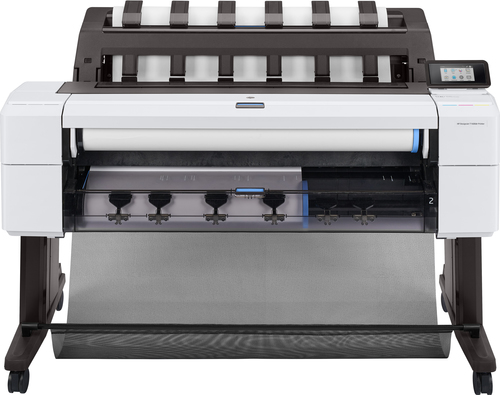
Let me tell you about a small business owner who transformed their marketing campaigns using a wide format ink-jet printer. They were initially skeptical, but soon discovered the HP DesignJet's reliability and quality were game-changers. It integrated so well into their daily workflow that productivity nearly doubled. This isn't just an isolated case; many professionals find that modern ink-jets, like those listed in design technology overviews, seamlessly fit into a wide array of applications, showcasing their unmatched adaptability and effectiveness.Key Features You Shouldn't Overlook
When considering an ink-jet printer, there are a few key features you shouldn't ignore. Printing speed is crucial, especially if you're dealing with high-volume tasks. Equally important is the connectivity of your device—many modern models offer Wi-Fi capabilities that ensure easy, wire-free printing from any device. Let's not forget about print resolution, which affects the sharpness and clarity of your documents and images.
Different users have different needs. A student might require vibrant and precise prints for their project presentations, while an office environment may leverage wide format printer maintenance insights to boost efficiency. And speaking of efficiency, there's a growing emphasis on sustainability features, like reduced energy consumption, that ink-jet printers often incorporate. These considerations not only impact the environment positively but also contribute to cost savings in the long run, making them a wise investment for the future.Epson WorkForce Pro vs Canon MAXIFY: Which Suits You?
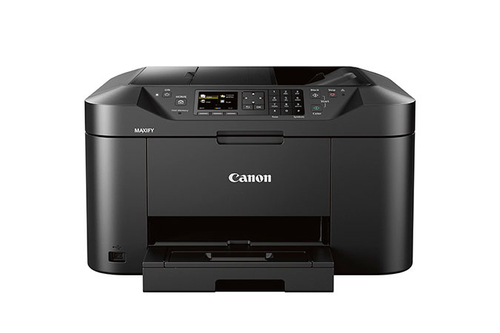
When looking at the Epson WorkForce Pro C11CG07201, its claim as the lowest cost monochrome printer stands out. This model boasts efficient print speed and robust connectivity options like Wi-Fi, making it a dream for busy office settings. In contrast, the Canon MAXIFY MB2120 emphasizes reliability and consistent performance, albeit with slightly different features. Its slower print speed may suit small businesses where high-volume isn't crucial.
For those who need high-volume office solutions, the Epson WorkForce Pro could be more suitable. On the other hand, the Canon MAXIFY might be ideal for smaller settings focused on reliability. Both bring unique strengths to the table, so consider which environment you're operating in. They each shine in distinct areas, so aligning their capabilities with your needs is key to making an informed decision.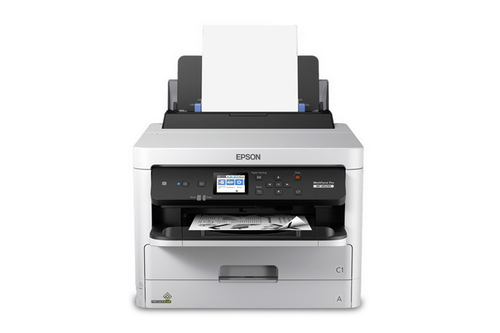
How to Set Up Your Ink-Jet Printer Like a Pro
Setting up your new ink-jet printer can be a straightforward process if you know what to do. Begin by unboxing the printer and removing all protective tapes. Connect it to a power source but don't forget the crucial initial step: installing the latest drivers, typically available on the manufacturer's website. This ensures smooth operation from the start.
Wi-Fi setup is usually the next thing to tackle. Follow the on-screen instructions to link the printer to your home or office network. But what if you encounter connectivity issues? Ensure you're entering the correct password and restart your router if necessary. Sometimes, it's the little things, like a minor paper jam, that can cause headaches. Regular maintenance, like cleaning print heads, keeps your printer in top shape. In my experience, frequent checks and small tweaks here and there prolong the machine's life significantly.Conclusion
As we've explored, ink-jet printers offer compelling benefits and feature sets that make them valuable investments for many. While top-tier models may not suit every budget, the flexibility and quality performance they offer often justify the expense. Whether your focus is on print quality, connectivity, or specialized applications, there's likely an ink-jet printer model that fits your unique needs. Consider your specific requirements, be it for frequent use or occasional printing tasks.
For more personalized recommendations, explore our recommended models and see what fits best into your printing repertoire. Remember, an informed choice today can lead to more streamlined operations tomorrow. We invite you to share your experiences with ink-jet technology in the comments, and perhaps help others find their perfect fit. Let's keep the conversation going!Frequently Asked Questions
Common questions about Ink-jet