Are Ink-Jet Printers in Your Future? Exploring Options and Benefits
Ink-Jet printers bridge the gap between vibrant photo results and everyday document needs—perfect for home and office use. In a market where options flourish, understanding ink-jet technology's distinct advantages can guide your next purchase. We'll delve into these benefits, comparing standout models and navigating setup procedures to optimize your printing experience.
The Technological Edge of Ink-Jet Printers
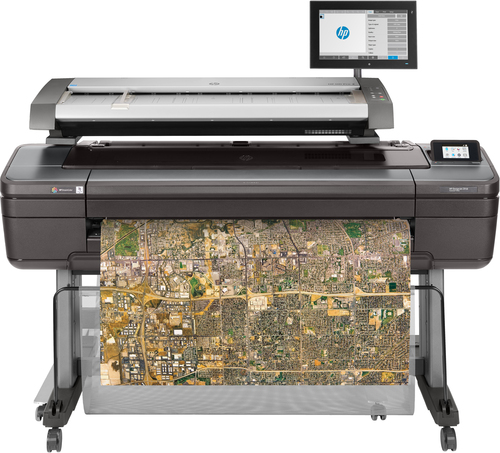
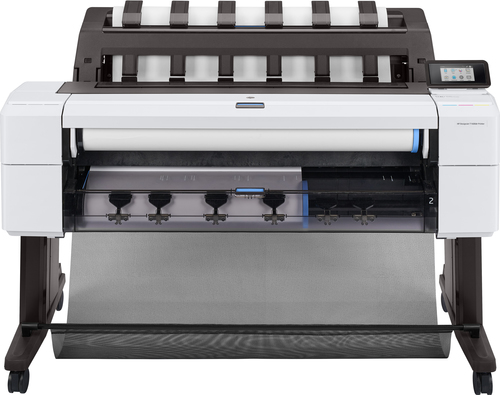
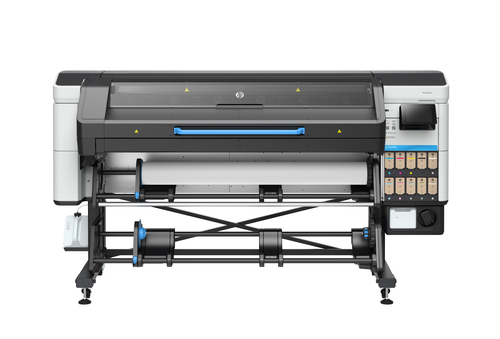
Ink-jet printers have always fascinated me with their precision—the way tiny droplets form images with stunning color accuracy is akin to painting with a thousand microscopic brushes. Recent advancements have taken this precision further, introducing features like wide format printing, which is a boon for businesses requiring CAD services. I've seen firsthand how developments like print head innovations drive this technology forward, ensuring high-quality outputs. Brands like HP DesignJet and Canon imagePROGRAF play significant roles here. Their technology often integrates seamlessly into modern models, offering versatile options for diverse printing needs.
In particular, Mycadprinting has always stood out as an example of how far we've come in achieving high-definition printing. When discussing features like precise droplet formation and color accuracy, it’s hard not to mention their impact on professional workspaces and creative settings. In my experience, using ink-jets for detailed graphics or architectural plans isn't just feasible—it’s often preferable. Now, if you're considering transitioning to an ink-jet printer or upgrading your current setup, don’t hesitate to check out the options on this category page for the latest models. You might be surprised by the solutions available that cater to specific printing challenges we regularly encounter.Why Choose Ink-Jet? Mapping Out the Benefits
The charm of ink-jet printers lies in the intricacy of their output—rich color saturation that truly makes photos pop. When you're involved in graphic design or creative arts, this kind of output isn't just desirable, it's essential. But the benefits don't stop at visuals. The affordability of ink-jet consumables versus their laser counterparts often means significant savings for frequent users. On the other hand, someone should consider the flexibility ink-jets offer in media handling. Whether printing blueprints or providing same-day print solutions, these devices are versatile enough to handle a broad array of tasks.
Let’s also talk about environmental benefits. By using fewer consumables and incorporating energy-efficient modes, ink-jet printers often present a greener alternative to more traditional setups. It's worth recognizing that this aspect of sustainability is becoming increasingly vital, given our collective pivot towards eco-friendly practices. In my opinion, if you have varied printing needs, from professional projects to everyday documentation, an ink-jet printer offers a spectrum of advantages worth exploring further. Interested in comparing how ink-jets measure up against other options? Delve into more details about their advantages in this related article.Real-World Use Cases: From Home to Professional Settings
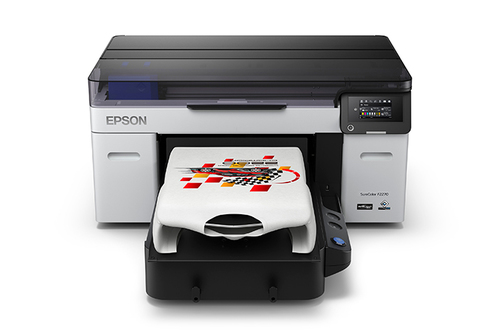
Believe it or not, ink-jet printers are versatile enough to tackle a range of projects—from casual photo printing at home to generating educational materials for classrooms. Take, for instance, the Epson SureColor, a phenomenal asset for studios and architectural prints, where precision and color accuracy come to life. I've balanced using an ink-jet for both home and professional space needs, and it's intriguing how efficiently these machines can perform under varied demands.
For everyday users, scenarios often include printing school assignments or creating vibrant photo albums—a task ink-jet printers usually excel at with ease. Meanwhile, in high-demand environments like small offices or creative studios, these printers meet rigorous challenges head-on, producing high-quality outputs consistently. Printing repair and alignments are also straightforward tasks, providing longevity and reliability. On a broader scale, the presence of plotters and alignments caters to specialist needs, suggesting that these machines aren’t confined to a single category. They’re part of a practical, everyday toolset that bridges casual use with professional-grade requirements. Curious about other potential use cases? Explore more about practical applications here.Navigating Ink-Jet Printer Setup Like a Pro
Setting up an ink-jet printer might seem daunting, but with a few simple steps, you can get started smoothly. Start with the basics: unboxing and installing the driver software—something even beginners can manage. From there, you'll find configuring your printer into the WiFi network straightforward, paving the way for seamless printing.
When it comes to troubleshooting, paper jams and connectivity faults are common hiccups, but easily solvable. Printing often involves regular cleaning to keep everything running smoothly. Personally, I've found that committing to a consistent maintenance routine greatly extends the longevity of your printer. Furthermore, calibration becomes crucial for ensuring pinpoint precision in your prints. These tools are instrumental, helping you align your output with expectations. For more insights on setting up an ink-jet printer efficiently, be sure to check out our comprehensive guide here.Head-to-Head: HP Envy 7975 vs. Epson SureColor P8570DR
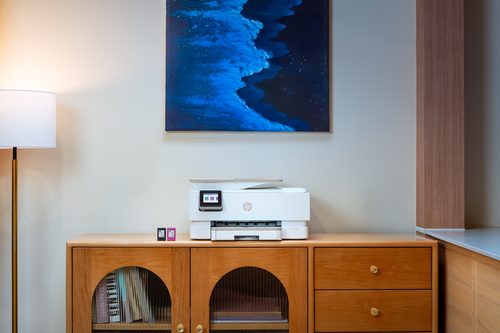
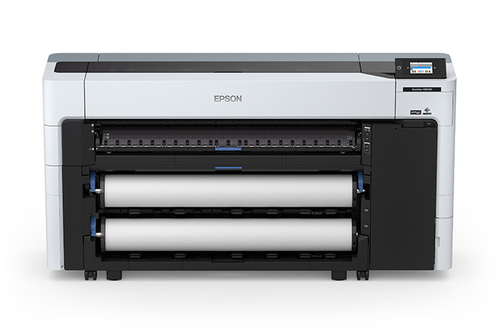
Let's explore the nuances of two standout models: the HP Envy 7975 and the Epson SureColor P8570DR. For those eyeing photography-centric designs, the Envy 7975 is a clear winner, offering a user-friendly interface explicitly tailored for vibrant home photo printing (explore this model). On the other hand, the SureColor P8570DR shines in larger format scenarios—think CAD services and high resolution (2400 DPI) outputs (take a look at this printer). When deciding which fits your needs better, consider the HP Envy for a home-oriented, photo-rich experience. Meanwhile, the Epson model might be the go-to choice for professionals requiring sophisticated CAD printing capabilities. To make an informed decision, it’s advisable to review the specifications provided directly by HP's official resources.
Step-by-Step: Seamless Ink-Jet Experience
Creating print projects with an ink-jet can be intuitive when you know your way around its features. Begin by adjusting the resolution settings to align with your specific tasks—whether you're scanning detailed images or printing essential documents. Media settings are vital too; choosing the correct paper type can significantly impact the quality of your output.
Leveraging WiFi printing also offers the freedom to print from virtually any device, enhancing overall convenience—a feature that's often underrated. To better manage your print queues, it’s wise to keep an eye on print supplies and ensure a color management suite is in place for accurate color reproduction. For those looking to streamline processes further, investing a little time in understanding printer and device compatibility pays off. Got everything? If so, you’re well-prepared for an optimal ink-jet experience.Conclusion
In sum, ink-jet printers hold a vital position in both personal and professional realms. Not only do they simplify daily operations, but offer an ease-of-use that makes transitioning from setup to everyday printing efficient—often a smoother ride compared to some of the contemporary technologies available. Weighing what you need can lead to a better alignment of budget against requirements, and navigating this landscape is key. While premium options are tempting, sometimes strategic selections prove equally satisfactory, especially when you factor in long-term benefits. If you’re keen to explore more on this topic, do take advantage of the resources and links provided throughout (look here, check this, view this link) for deeper insights. And when ready, visit our category page for specific recommendations that suit your dedicated needs adequately.
Frequently Asked Questions
Common questions about Ink-jet