Why Ink-Jet Printers Remain the Popular Choice for Home and Office
Whether you're printing holiday photos at home or urgent reports in the office, ink-jet printers have long been a favored choice for their versatility and affordability. But why do so many individuals and businesses prefer them over other types? The secret lies in their ability to smoothly handle a wide range of tasks—from producing vibrant photo prints to efficient document handling. Let's dive into the myriad benefits that make ink-jet models an enduring choice.
Understanding the Technology: What Makes Ink-Jets Stand Out?
The heart of an ink-jet printer lies in its print head, a component with tiny nozzles that spray microscopic droplets of ink onto paper. This precision accounts for the sharp text and vibrant images they can produce—an appealing feature for anyone from casual users to professional designers.
When comparing ink-jet technology to laser printers, one finds that lasers use toner and require a more complex setup involving fuser units. This can make maintenance more cumbersome. In contrast, ink-jets are often more straightforward and less intimidating for personal use, while still being capable of handling diverse print media and varied sizes. This capability to switch seamlessly between printing a simple document and crafting a detailed image—using the same device—is often mentioned by users exploring versatile printer options. It's like having a compact office assistant that can print your son's school project as easily as your latest work presentation.Versatile Printing Capabilities: From Everyday Documents to Vibrant Photos
Ink-jet printers aren't just about basic printing tasks; they really shine when it comes to producing high-quality images. You'd be amazed at how these printers can transform your digital photos into vibrant prints that rival any photo lab's results. This quality is often lauded by photographers and creative professionals.
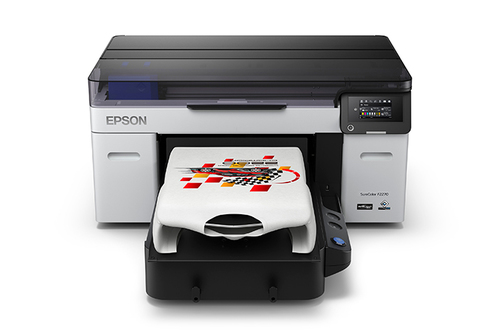
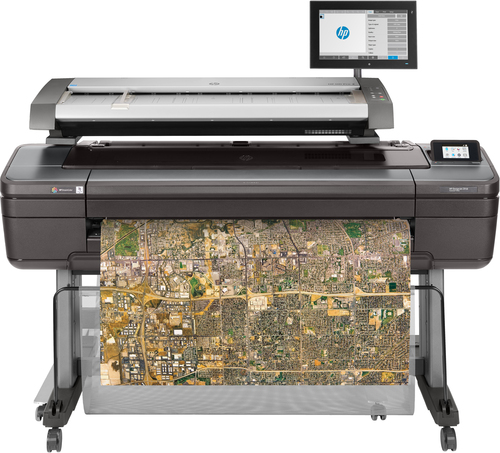
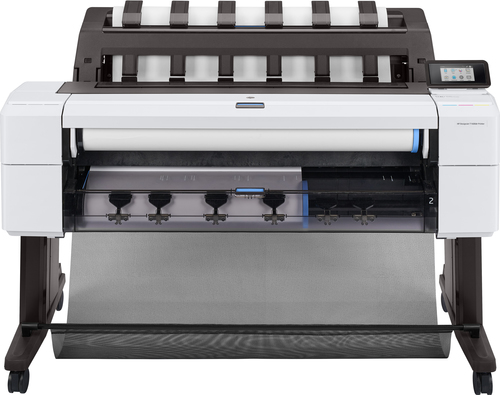
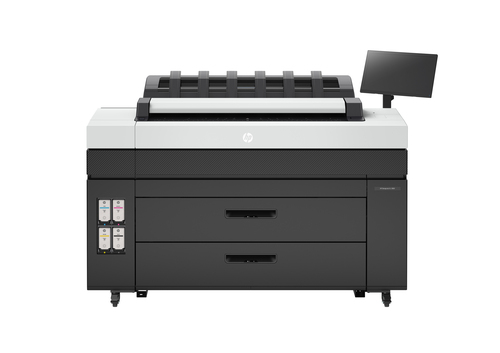
Models like the HP DesignJet and Canon imagePROGRAF excel in wide format printing, enabling users to go beyond standard sizes for posters, banners, and blueprints. For someone who often toggles between everyday document tasks and creative projects, this is invaluable. Then there are the Epson SureColor models, which cater to niche markets such as CAD services. Being able to handle complex, large-scale drawings makes them a popular choice among architects and engineers. It's a diverse range of capabilities, showing that an ink-jet is not just one-trick pony, but a Swiss Army knife of printers. The next time you marvel at a crisp landscape print hanging on a wall, remember—it probably came from an ink-jet of this caliber.Benefits that Keep Ink-Jets in the Game
When it comes to cost-efficiency, ink-jets generally offer an appealing package. They are smaller, less expensive upfront, and easier to maintain compared to their laser counterparts. This makes them an attractive option for home users as well as small offices operating on tight budgets.
Additionally, ink-jet models are typically more environmentally friendly, consuming less power and producing less heat. Their quieter operation can also be a plus, particularly in home environments where noise may be a concern. This is particularly crucial for late-night workers who don't want their printing to be a source of disturbance. Furthermore, the ease of maintenance—think hassle-free ink cartridge replacements—means you always have the possibility to manage your machine without professional help. This convenience, often highlighted by budget-conscious users like freelancers and small business owners, makes ink-jets an enduring choice for those seeking functionality without complexity. For a deeper dive into eco-friendly printer options, consider our related post on their sustainable benefits.Navigating the Ink-Jet Market: What You Should Consider
Shopping for an ink-jet? It's not all about color and size; there are several important factors to weigh in. Start with printing speed—a crucial element if high-volume tasks are on your agenda. Many customers, perhaps suffering from the slow print speeds of earlier models, will note this as a top priority. Then there's resolution, vital for those high-definition images.
You'll find printers offering different connectivity options, ranging from USB to wireless and even cloud-based solutions. This makes a world of difference if you often need to print from multiple devices. Imagine toggling between work and personal profiles without losing any time—priceless, right? Finally, consider if multifunction features appeal to you. Some users appreciate having an all-in-one device, while others might value specialized devices for distinct tasks like scanning or plotting. This could be the difference-maker for the home office of a burgeoning graphic designer versus a business focused on client presentations. Choosing your first ink-jet printer will depend on matching these capabilities to your specific needs.Brother vs. HP: Which Ink-Jet Suits You Better?
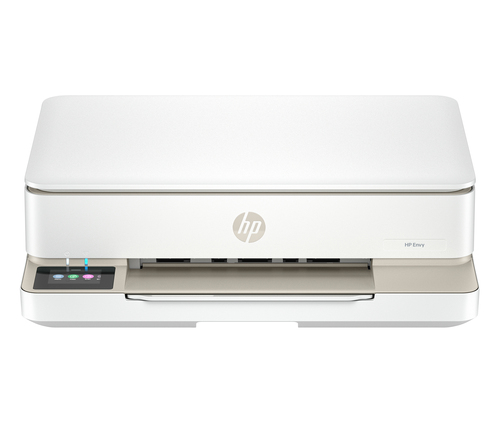
When it comes to choosing between the Brother MFC-J6940DW and HP ENVY 6155e, each has its perks. For instance, the Brother model is known for its robustness in business settings with capabilities that accommodate A3 paper sizes and high DPI for clear, professional reports. On the other hand, the HP ENVY 6155e often attracts home users thanks to its ease of use and focus on photo printing. The Instant Ink service is particularly appealing for maintaining a ready supply of ink without the hassle of manual reordering.
While Brother seems tailored to the bustling office, the HP is more about simplicity and flair in a home setting. Whichever you choose, both models have something compelling to offer, and I would suggest diving into some reviews to decide which ink-jet aligns best with your printing world.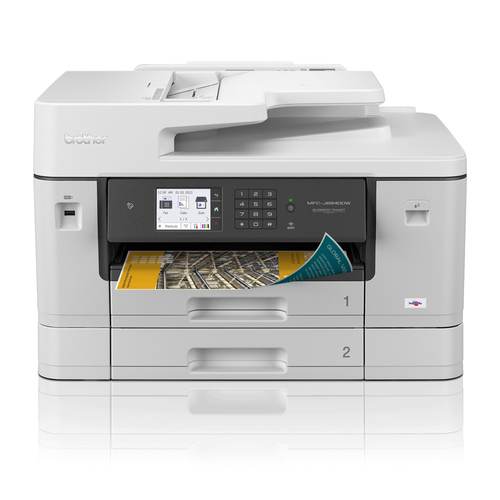
Setting Up Your Ink-Jet Printer Like a Pro
Getting your ink-jet up and running is a straightforward process. Start by unboxing and plugging it in—a basic step that kicks off the setup. Follow that with installing the ink cartridges, usually labeled for easy placement. Make sure to carefully align these to prevent any initial printing errors.
On to connectivity: if your printer offers wireless options, configuring your network settings is essential for a seamless experience. Many have found enabling these features opens up so much more in terms of convenience. Download the necessary software from the manufacturer's website, which usually includes a tool for aligning print heads—a critical step for optimal print quality. Finally, remember to conduct a trial print to ensure everything's in order. Knowing how to troubleshoot during this phase, such as recalibrating for color accuracy, can be a real game-changer. For those interested in advanced configurations, keeping drivers updated is just as important and can greatly extend your printer’s lifespan.Conclusion
And there you have it—a comprehensive look into why ink-jet printers hold their ground in both home and office environments. Whether it’s the eco-friendly nature, versatility, or cost-efficiency, these machines are built to serve a wide array of user needs. So what should you take from this? Consider evaluating your own printing needs and whether features like wide format capability or special ink usage will benefit you most.
On the hunt for more insights on this technology? Certainly, you might find the broader implications of ink-jet benefits worth a read. By keeping your specific requirements in focus, you’ll find that an ink-jet printer could seamlessly fit into your routine, boosting your productivity and enhancing your outputs. Let us help guide your choice by visiting our ink-jet printer category page for more detailed options tailored to your preferences.Frequently Asked Questions
Common questions about Ink-jet