Are Ink-Jet Printers Worth It for Your Printing Needs?
Ink-jet printers are a popular and versatile choice for home and small business use. They’re known for their ability to produce high-quality prints on various media, making them ideal for everyday printing needs. Whether you're printing family photos, school projects, or business documents, ink-jet technology offers reliable performance. In this blog post, we’ll explore the features, benefits, and practical applications of ink-jet printers to help you determine if they're right for you.
Why Choose Ink-Jet Printers?
Ink-jet printers offer a range of benefits that make them appealing to many users. For starters, their versatile printing technology translates to affordability and high-quality output on a wide array of media types. These printers can handle various tasks from printing sharp photos to crisp text documents. TECHNOLOGY-WISE, terms like dpi (dots per inch) and nozzle configuration come up often, which essentially mean that the print quality is usually quite impressive. Ink technology also plays a key role as it allows for vivid image reproduction.
In my experience, the ease of setup and operation make these printers a hit in households and small offices alike. You're not bound by complex instructions or tedious configurations. Typically, you just plug in, install drivers if necessary, and away you go. They also offer straightforward connectivity options, often equipped with Wi-Fi and USB ports, which cater to different user preferences. For a deeper dive into the benefits, check out the benefits of using ink-jet printers page for more insights. And if you're considering which printer suits your needs, navigating options and categories through this category page could be particularly enlightening.Understanding Key Features
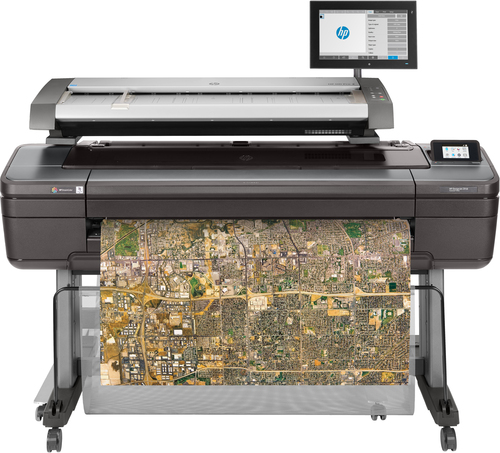
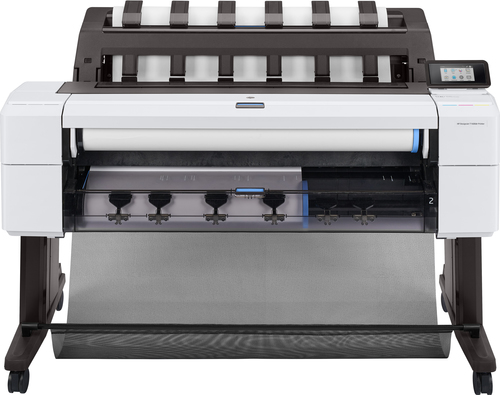
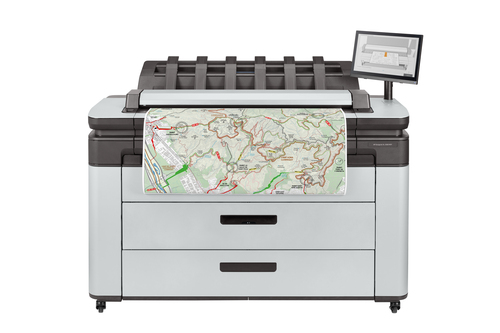
What features make ink-jet printers stand out? It's their capability for wide format printing and blueprint printing that often catches attention. This versatility allows them to produce anything from small photo prints to blueprints for architectural needs. The choice of ink is another critical feature worth considering; different inks provide varied outcomes in terms of speed and quality. Additionally, the connectivity options are plentiful—Wi-Fi, Ethernet, and USB are pretty standard, and they ensure no one is left out.
Imagine a CAD service like Mycadprinting, where blueprints need quick, reliable output. Ink-jet printers can support such needs, thanks to their adaptability in print resolution and speed. Stories from small businesses relying on these features illustrate real-world viability, proving that investing in an ink-jet printer pays off in efficient task execution. Whether you're in architecture, retail, or a simple home office setup, knowing the features and how they cater to various applications can guide your purchase decision—something completely detailed on our category page.Exploring Practical Applications
Ink-jet printers find their place in countless scenarios. At home, they're perfect for photo printing—imagine printing vacation photos with vibrant colors. They're also great for small office tasks, where versatility and affordability are often key.
In professional settings, architects might use these printers for blueprint printing, while retailers leverage them for quick flyer prints. Interestingly, seasonal demands, like year-end greeting cards or small business marketing deadlines, often see ink-jet printers embraced for their flexibility in handling various tasks promptly. Typically, these printers are sought after for same-day printing services, showcasing their reliability and adaptability. Exploring these use cases could open up new perspectives on how you use these versatile machines in your environment. But whatever the printing need, there's likely an ink-jet solution tailored for it.The Drawbacks and Considerations
While ink-jet printers excel in many areas, they aren't without flaws. Frequently, maintenance demands and print supply costs can be a bit of a headache. Regular ink replacements might seem trivial, yet they do stack up over time. Some users find themselves relying on wide format printer maintenance and repair services to keep their devices in tip-top shape, especially when extensive use is involved.
On the other hand, it's important to acknowledge that premium options like large format printers revolve around specific needs—such as professional-grade output—which aren't typically necessary for everyone. The trade-offs between price and performance should be carefully considered. Despite these considerations, ink-jet printers remain a viable choice for many—providing you with cost-effective and practical solutions. For those seeking tailored insights, diving deeper into what these devices offer can usually illuminate the balance of pros and cons inherent in most technological products.Comparing HP DesignJet Z9+ and HP OfficeJet Pro 9125
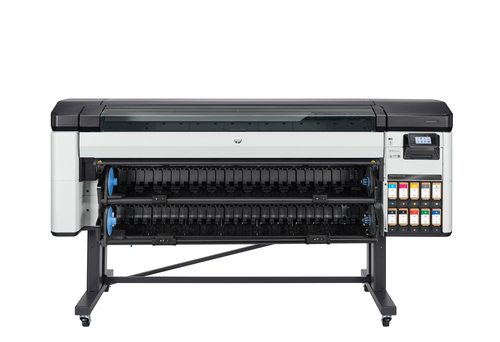
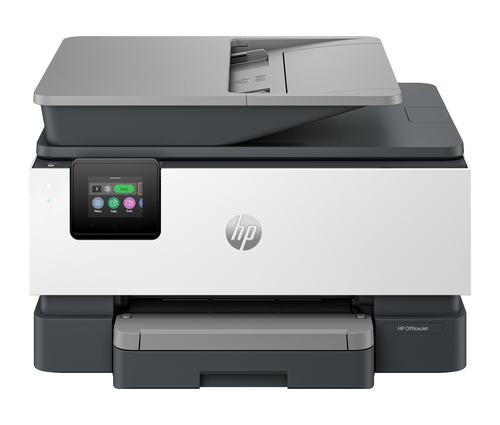
When comparing the HP DesignJet Z9+ Pro and the HP OfficeJet Pro 9125, key differences emerge. The DesignJet Z9+ Pro excels in CAD printing services, notably assisted by its dynamic security features ensuring top-quality output. Meanwhile, the OfficeJet Pro 9125 supports small businesses with impressive speed and efficiency. Wide format support on the DesignJet makes it ideal for more specialized needs, whereas the OfficeJet's wireless connectivity makes it a solid option for everyday office use. This comparison reflects how each serves distinct yet overlapping purposes in meeting diverse printing demands.
Getting Started with Your Ink-Jet Printer
Setting up an ink-jet printer doesn't have to be daunting. Start by unboxing your printer carefully, ensuring all components are present. Connect it to your Wi-Fi by accessing the network settings, followed by installing ink cartridges. Many printers have straightforward guides that make physical setup rather intuitive.
Once set up, perform initial test prints to ensure everything's in working order. Optimizing printer settings for different tasks can often enhance print quality—consulting your device's manual will offer you tailored adjustments. Real-world scenarios show some users run into connectivity hiccups but these are typically resolvable by resetting the network settings. Remember, maintaining your printer by regularly cleaning printheads extends its lifespan and assures consistent performance. Start this journey confidently with our concise guide, or delve deeper with specific model instructions tailored for your device.Conclusion
In considering ink-jet printers for your printing needs, it's clear they offer a good mix of versatility, affordability, and quality—especially for home and small business environments. Having explored their features, benefits, and use scenarios, it's prudent to weigh your specific needs against what these devices can offer. While ink-jet options cater to many, remember that more specialized equipment exists if necessary.
For more on what HP offers, check out HP's range of printers for comprehensive specs and choices. In making your decision, consider your budget alongside the reliability and quality ink-jets provide. After all, finding the right printer to meet your needs can often simplify your day-today tasks and enhance productivity. To explore more on our available categories, visit our category link.Frequently Asked Questions
Common questions about Ink-jet