Why Choose an Ink-Jet Printer for Your Printing Needs?
Uncover the world of ink-jet printers and see why they're often the top choice for both home and office setups. From vibrant photo prints to essential document outputs, we'll explore how these versatile machines meet a range of needs. Through practical insights and personal anecdotes, you'll discover their unique benefits and decide if they're right for you.
Understanding Ink-Jet Technology
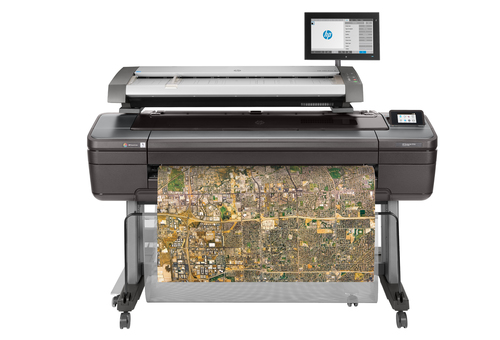
Ink-jet printers operate by spraying tiny droplets of ink onto paper, creating crisp images and text. This technology may sound simple, but the underlying mechanics are quite fascinating! There are two main types of ink-jet printing technologies: thermal and piezoelectric. Thermal ink-jet printers use heat to expand bubbles of ink through microscopic nozzles, while piezoelectric models leverage electrical charges to propel droplets in a precise fashion. Both technologies bring unique benefits, with thermal being more common in lower-cost printers and piezoelectric typically found in higher-end models.
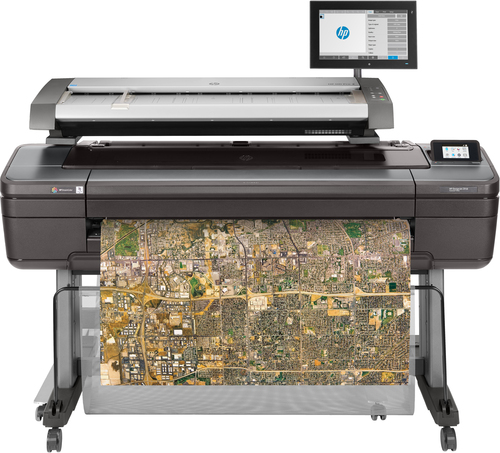
But that's not all. Ink-jet printers aren't just limited to standard-sized print jobs; they can often handle larger formats such as blueprints or even wide-format posters. Personally, I've found ink-jet technology especially adaptable, having used them to print everything from detailed survey maps to vibrant art pieces on canvas. Maintaining these devices can occasionally present challenges; however, they're generally straightforward with a bit of forethought. Regular cleaning and firmware updates are essential, although some models might require occasional professional servicing. Remember, every technology has its learning curve, and ink-jets are no exception. You can find more about ink-jet printer categories in our resources.Benefits of Using Ink-Jet Printers
Ink-jet printers have several appealing benefits that have made them a popular choice for many people. First up, there's the upfront cost. Ink-jets tend to be more affordable than laser printers, which is a significant factor if you're starting on a tight budget. Not only are they cost-effective, but they produce high-quality prints, which is crucial for both professional and personal uses. You'll find that they handle different media types with ease, from standard paper to glossy photo stock and even CDs and DVDs.
Environmental concerns are more relevant than ever, and ink-jet printers often score well in this area. They typically require less energy than their laser counterparts and have lower ink consumption rates when you use them efficiently. This eco-friendly angle—combined with affordable operating costs—makes them even more attractive. Imagine using one for your at-home photo lab or CAD printing services, where reliability and quality are key. I've personally resorted to an ink-jet printer for last-minute school projects more times than I can count—often being the hero of the evening! The convenience factor is hard to beat when time is of the essence. You could explore more benefits of ink-jet printers in our related posts.Choosing the Right Model for Your Needs
With so many manufacturers and models to choose from, finding the right ink-jet printer can feel overwhelming. Brands like Canon with their imagePROGRAF series, HP's DesignJet lineup, and Epson's SureColor range each offer strengths tailored to different needs. For instance, those in architecture might benefit from large format printers. On the other hand, someone seeking a versatile all-in-one for family use might need less specialized features. In my experience, an understanding of market trends helps in making a wise choice—while premium models offer cutting-edge features, basic models often do the job just fine.
Remember, maintenance and care can extend any printer's life significantly. Routine cleaning cycles and using manufacturer-approved inks can help in the long run. Consider what you'll print most often: if it's high-volume or precision work, investing in a robust machine seems wise. Meanwhile, monitoring trending features like wireless connectivity and ease of use can help achieve more seamless printing experiences. For more insights on choosing models, consider exploring printer categories for detailed guidance.Tips for Maximizing Ink-Jet Printer Performance
Regular maintenance is crucial if you want your ink-jet printer to provide optimal results. Keep your printer clean, both internally and externally, and always use genuine supplies to ensure the best quality prints and avoid jams. Another key element is regular maintenance of the print heads, which can prevent clogs that might otherwise disrupt your workflow. Experience has taught me that ignoring these small maintenance tasks can lead to bigger headaches down the line.
Software updates can't be overlooked, either! Manufacturers release these updates to improve compatibility and performance. A quick update might surprise you with improved print speeds or enhanced firmware. But it’s not just about maintenance—leveraging the right accessories can elevate your printing setup too. For example, adding compatible scanners through scanner sales provides more capability and functionality, making your workstation integrated and efficient. On the other hand, the realm of common pitfalls is full of lessons learned, such as using low-quality ink refills or neglecting color calibration. By following these practical tips and maintaining your printer's health, you can enjoy hassle-free, high-quality printing for years to come.Comparing HP DesignJet T1600dr and Epson SureColor F1070
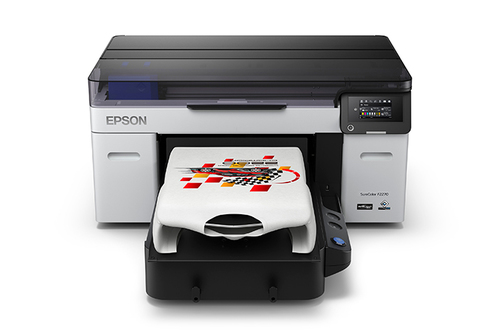
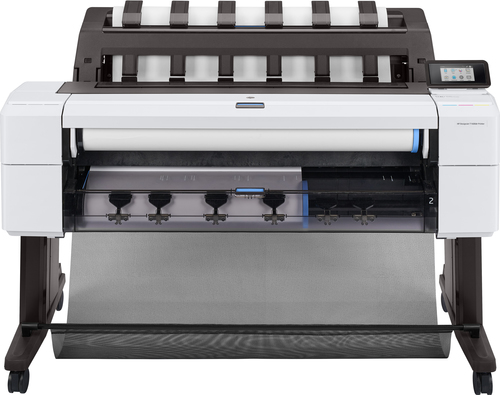
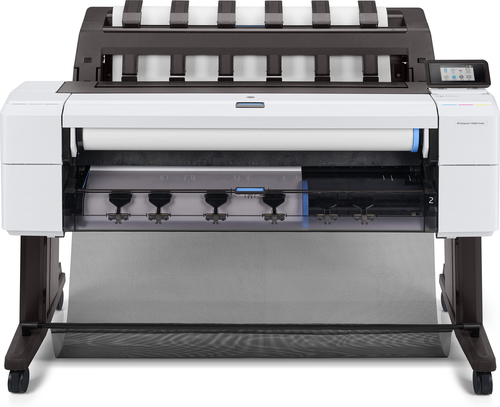
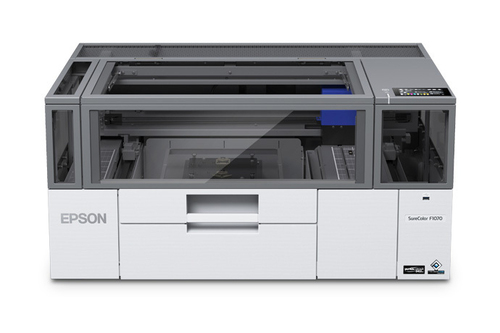
In the niche of specialized ink-jet printers, the HP DesignJet T1600dr and Epson SureColor F1070 stand out. The HP DesignJet T1600dr excels in producing detailed blueprints, making it highly suited for architecture or engineering firms. Conversely, the Epson SureColor F1070 specializes in garment and merchandise printing, ideal for businesses in the fashion industry. Each model comes with unique dynamic security attributes that ensure the safe use of genuine supplies, aiding in smooth operations. Where HP shines with its connectivity features and ease of use, Epson offers unmatched print quality and a user-friendly interface for merchandise production. Your choice might boil down to what you need most: architectural precision or garment printing prowess. To explore more about their features, follow these product options.
Setting Up Your Ink-Jet Printer
Setting up an ink-jet printer might seem daunting, but with a few simple steps, you'll be up and running in no time. Start with unboxing your printer carefully, removing all protective materials. Once that's done, install your ink cartridges by following the manufacturer's instructions—usually, you'll just need to snap them into place. Aligning the print heads is a critical step, requiring a bit of patience, but it ensures optimal print output.
Next, whether you're connecting via USB or going for a wireless setup, make sure your network configurations are set correctly. In office settings, using an Ethernet LAN connection can be ideal for stability and speed. I've seen countless setups, and trust me, a well-structured network connection can save you from future headaches. From my own experiences and those of clients, troubleshooting might involve a few tries but stick with it—often, it’s just a simple overlooked step! Read this handy guide if you run into any snags. By following these basic setup tips, your first print job will mark a smooth start to many great projects.Conclusion
Choosing an ink-jet printer is not just about picking a device; it's about finding a tool that perfectly suits your unique needs. Whether you're using it for professional endeavors, creative projects, or everyday printing, this decision impacts your workflow and outcomes over time. As I've seen firsthand, the adaptability of ink-jet printers is unrivaled, offering a range of versatile applications—from office tasks to artistic creations. Take time to reflect on what matters most for your setup, be it budget, functionality, or print capacity. To ensure longevity, consider exploring the different printer categories for complete maintenance guidance. Remember, finding that perfect match requires a balance between cutting-edge technology and practical everyday usability. Navigate this world with curiosity, and let your printing efficiency grow alongside your evolving needs.
Frequently Asked Questions
Common questions about Ink-jet